VLAB —
access follows
the booking.
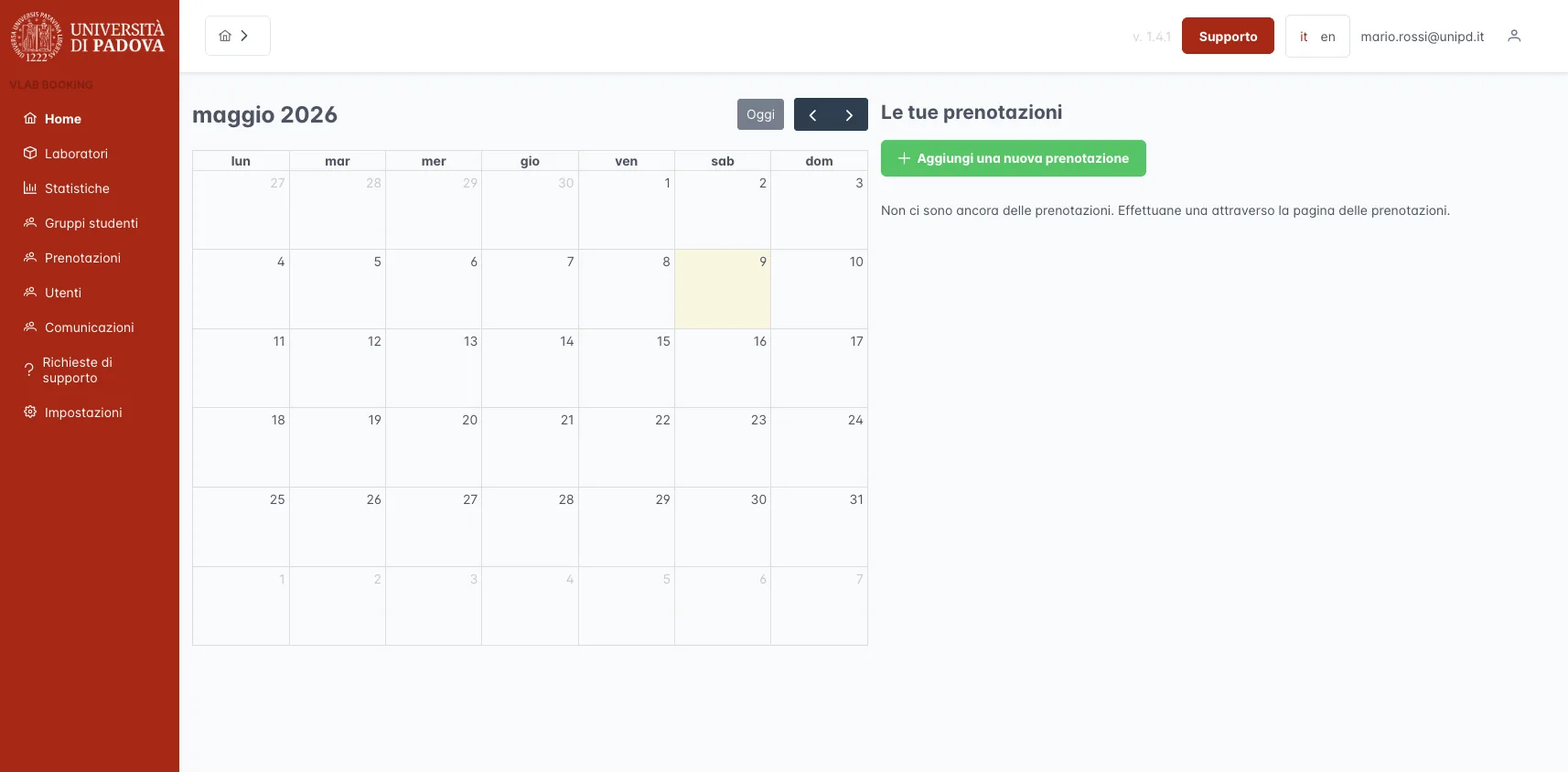
Students and lecturers book the virtual lab. The system enables accounts before the session and removes access afterwards, connecting the calendar to the university’s infrastructure.
What is
VLAB Booking.
A system connecting bookings to the university’s virtual labs. It manages account activation, notifications and access removal. It integrates with VMware Horizon, course groups in Moodle and university sign-in credentials.
Where we
started.
A virtual lab is a pool of VMware Horizon desktops built on an image and snapshot prepared for a course. To get in, the account has to be enabled in Active Directory: leaving it open all the time means access lingers for people who are no longer entitled to it, while opening and closing it by hand for every class does not scale.
The challenge
Keep the class calendar, Moodle course groups and the accounts enabled on the VDI in sync. Four roles — student, lecturer, department IT, administrator — and a single way in: the university SAML federation.
Our approach
The booking system never touches the infrastructure directly. Every minute the scheduler writes enable, warning and removal files that an agent on the VDI side consumes, and imports the access logs it returns. Labs are created through a small on-premise server that runs the VMware PowerShell scripts.
The result
Access exists only while a booking justifies it: it opens before the start, closes after the end, and also closes when the lab expires or is deleted. Statistics count the accesses Horizon recorded, not the bookings.
Key
features.
Six areas for managing bookings, labs, groups and access. Each role has the information and actions needed for its work.
Lab
bookings
Calendar with single or recurring bookings, shareable with colleagues or groups. Seat availability checks can be switched on per lab.
Labs
& statistics
Each lab has a VMware image and snapshot, seats, academic year and expiry date. Statistics by session length and seats used.
Student
groups
Groups created by lecturers or synced from Moodle courses. Group members see and book the labs assigned to them.
Regulation
signing
Usage regulations in Italian and English, with numbered revisions and a draft or published status. The signed version is recorded for every user.
Support
tickets
A separate service (vlabooking-support) for help requests, with email notifications when a ticket is opened and on every reply. Handled by IT.
Dashboard
notices
Messages from administrators — maintenance, deadlines — with a validity period and a level: info, warning, danger.
Four roles,
four views.
Four profiles, and a user can hold more than one. SAML brings the identity from the university, a JWT carries it into API calls: guards check the role, services filter the data each user may see.
Student
- Books the labs of their groups
- Sees own and shared bookings
- Signs the usage regulations
- Opens support tickets
- Reads dashboard notices
Lecturer
- Sees the labs they teach
- Manages student groups
- Books for themselves and groups
- Sets up recurring bookings
- Checks usage statistics
Administrator
- Manages users and roles
- Publishes the usage regulations
- Writes dashboard notices
- Configures departments and Moodle
- Sees every department
IT
- Creates and configures labs
- Picks the VMware image and snapshot
- Assigns lecturers and technicians
- Sees all bookings for its labs
- Answers support tickets
Five packages,
one monorepo.
Nx 23 holds together four Node and Angular applications, the Python server that talks to VMware and two shared libraries: the domain models, used unchanged by backend, frontend and scheduler, and the Sequelize models. In production: Postgres, four API replicas, the ticket service and the scheduler behind nginx.
vlabooking
-be
REST API: labs, bookings, groups, users, regulations. SAML login, JWT, role guards. Proxies requests to the ticket service.
vlabooking
-fe
PrimeNG console with a FullCalendar calendar, in Italian and English. Menus and pages follow the user's roles.
vlabooking
-scheduler
No API, only jobs: every minute it writes enable, warning and removal files for the VDI and imports the access logs.
vlabooking
-support
Ticketing microservice with email notifications. It has no authentication of its own: it receives the user from the backend.
py-local
-server
Installed on-premise at the university: runs the PowerShell scripts that read images and snapshots and create the virtual labs.
Technical
features.
The choices that matter most sit at the boundary with the university's infrastructure: a simple contract with the VDI, access that closes on its own, a schema that only changes through migrations.
Tech
stack.
Nx monorepo with four applications and two shared libraries. NestJS and Sequelize on the backend, Angular with PrimeNG for the console, Passport for SAML and JWT.
The booking opens the desktop, its end closes it.
Still enabling lab access
by hand?
We build booking systems for universities that plug into the infrastructure you already have: SAML SSO, Moodle, VDI. Send us a couple of lines — we reply within 48 hours.
Images are for illustrative purposes and do not necessarily reflect the current state of the application.